
AI Fitness Coach & Home Workout App for iPhone
Own your
health & body.
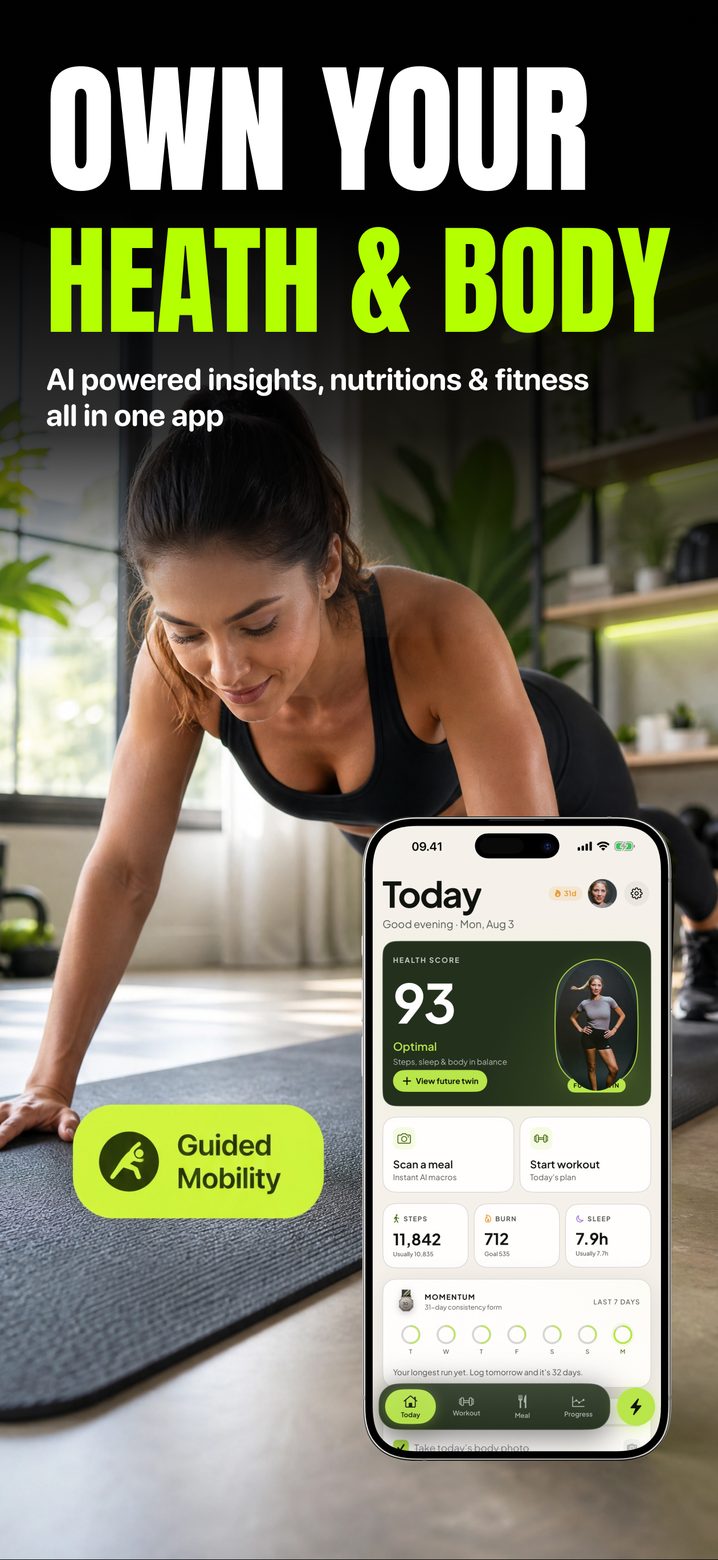
Scan every meal, train at home with form guidance, and log one photo a day to see what the mirror hides. AI insights, nutrition and fitness in one app.
- ✓ No account, no email
- ✓ No ads or cross-app tracking
- ✓ 26 languages
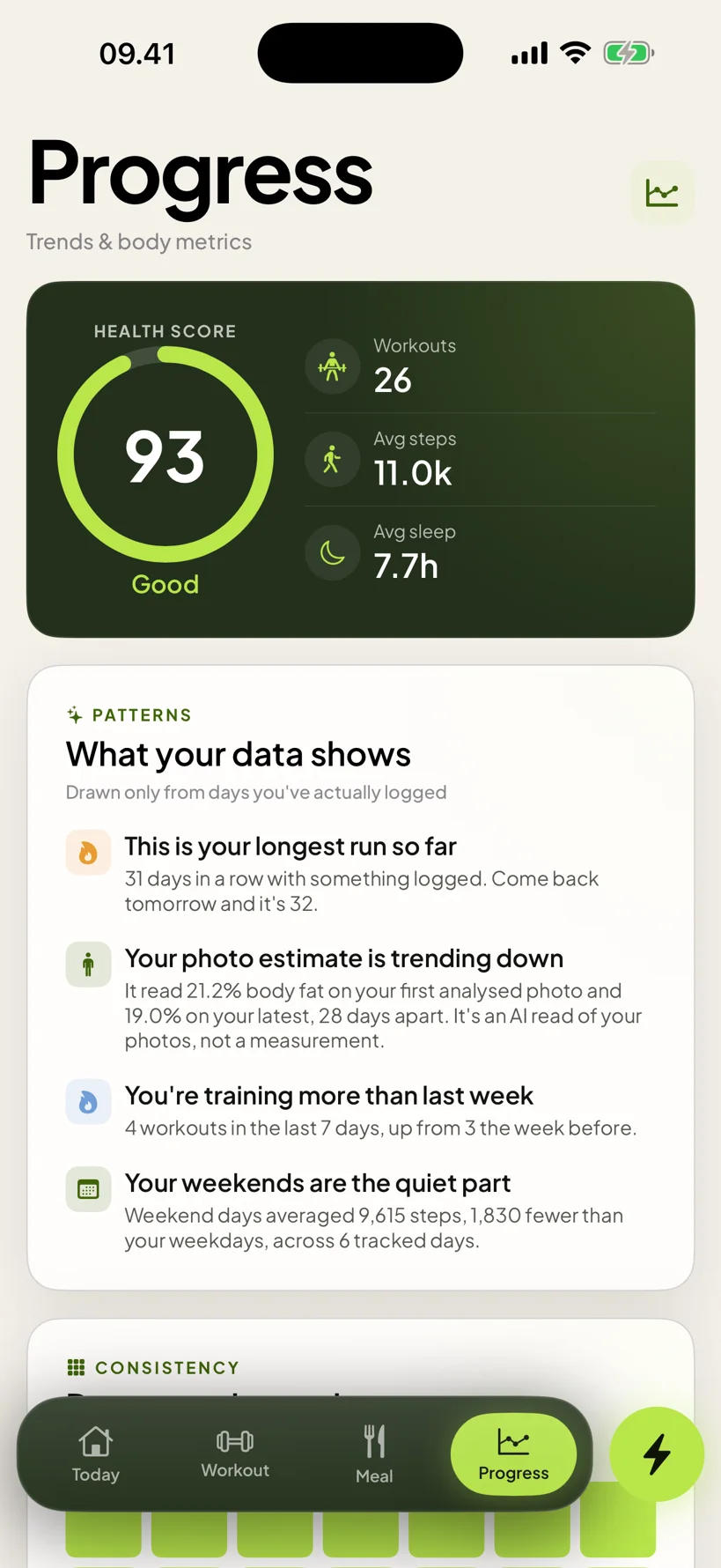
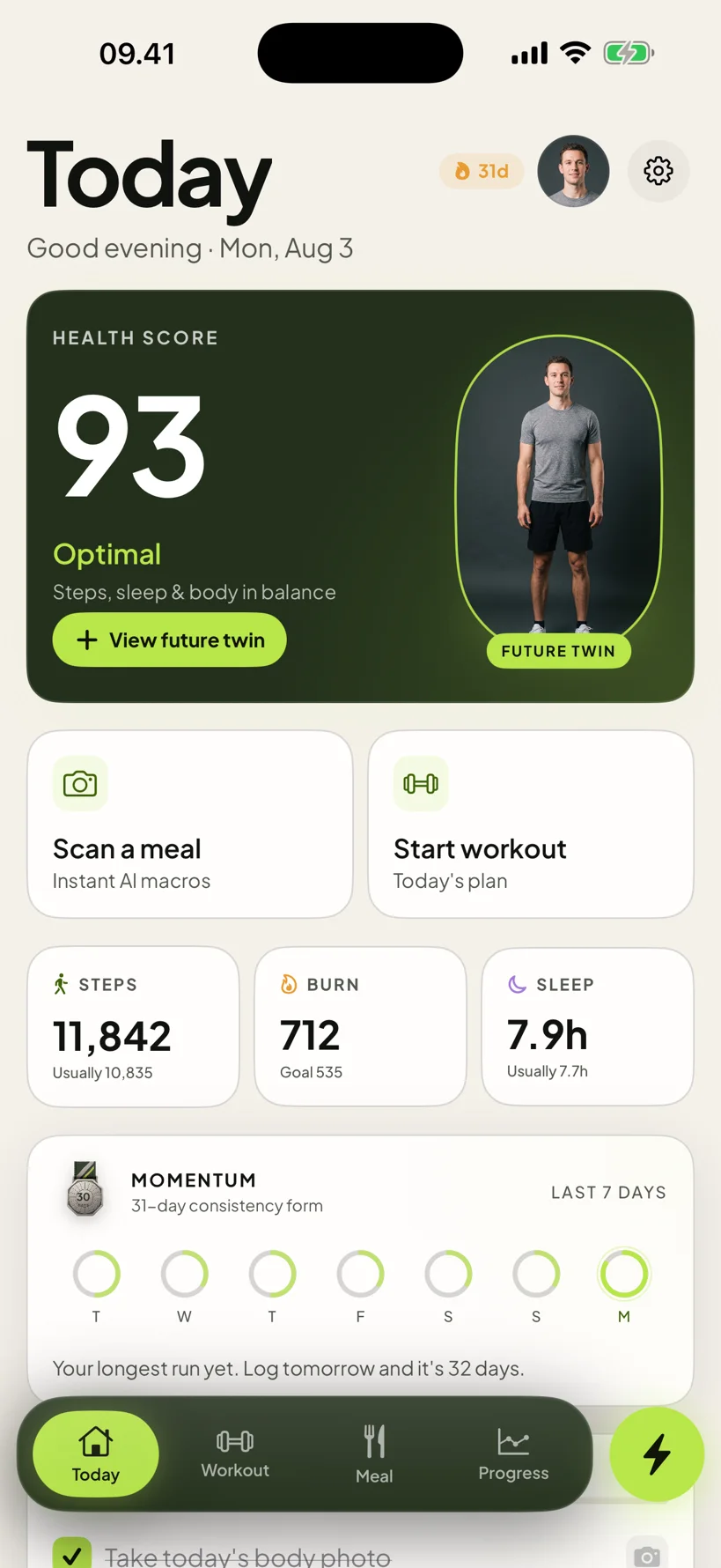
A day in the app
Four screens.
That's the loop.
Log what you eat, train what's planned, take the photo, ask the coach. Everything else the app does is downstream of those four.
- Morning — the day's score, steps and sleep
- Lunch — photograph the plate, edit, log
- Evening — the session, set by set
- Before bed — one photo, then ask anything
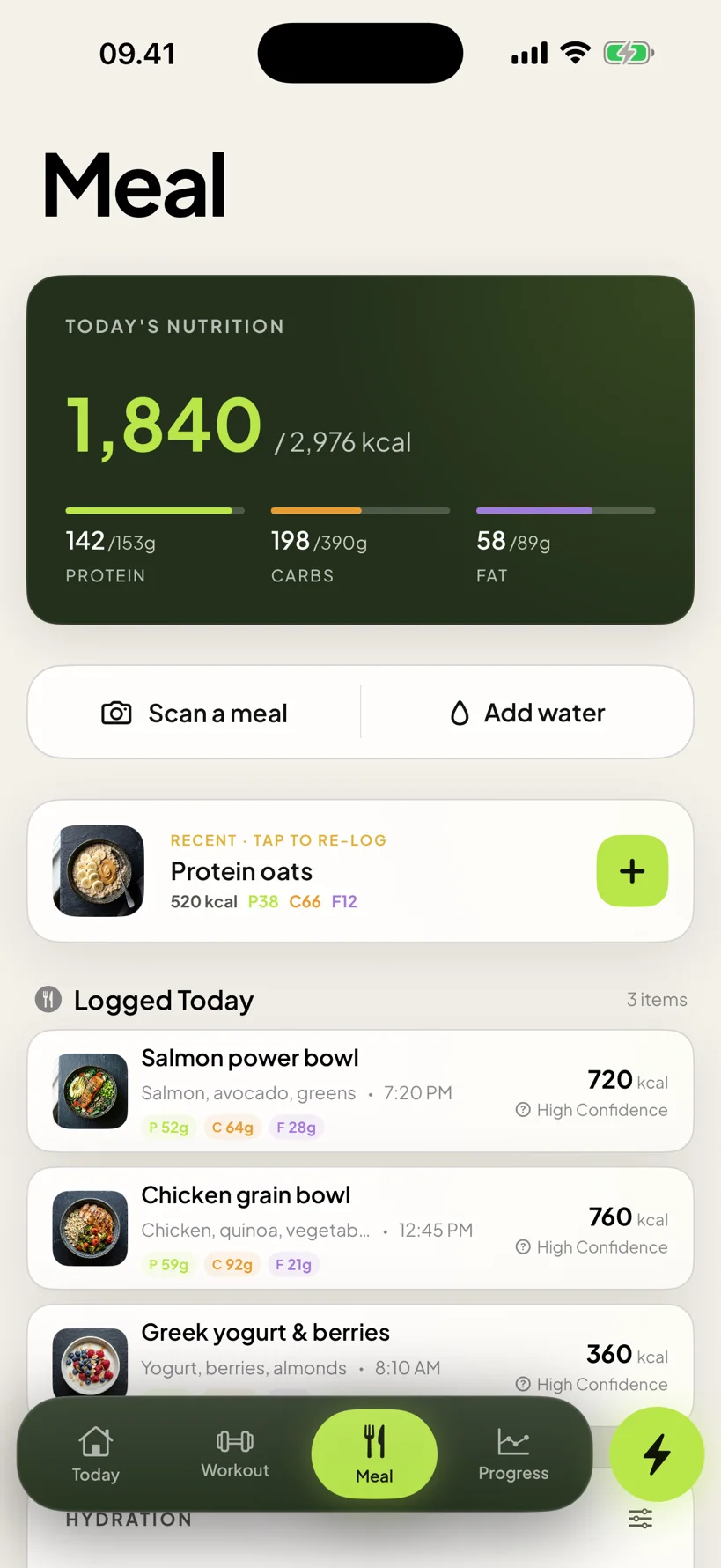
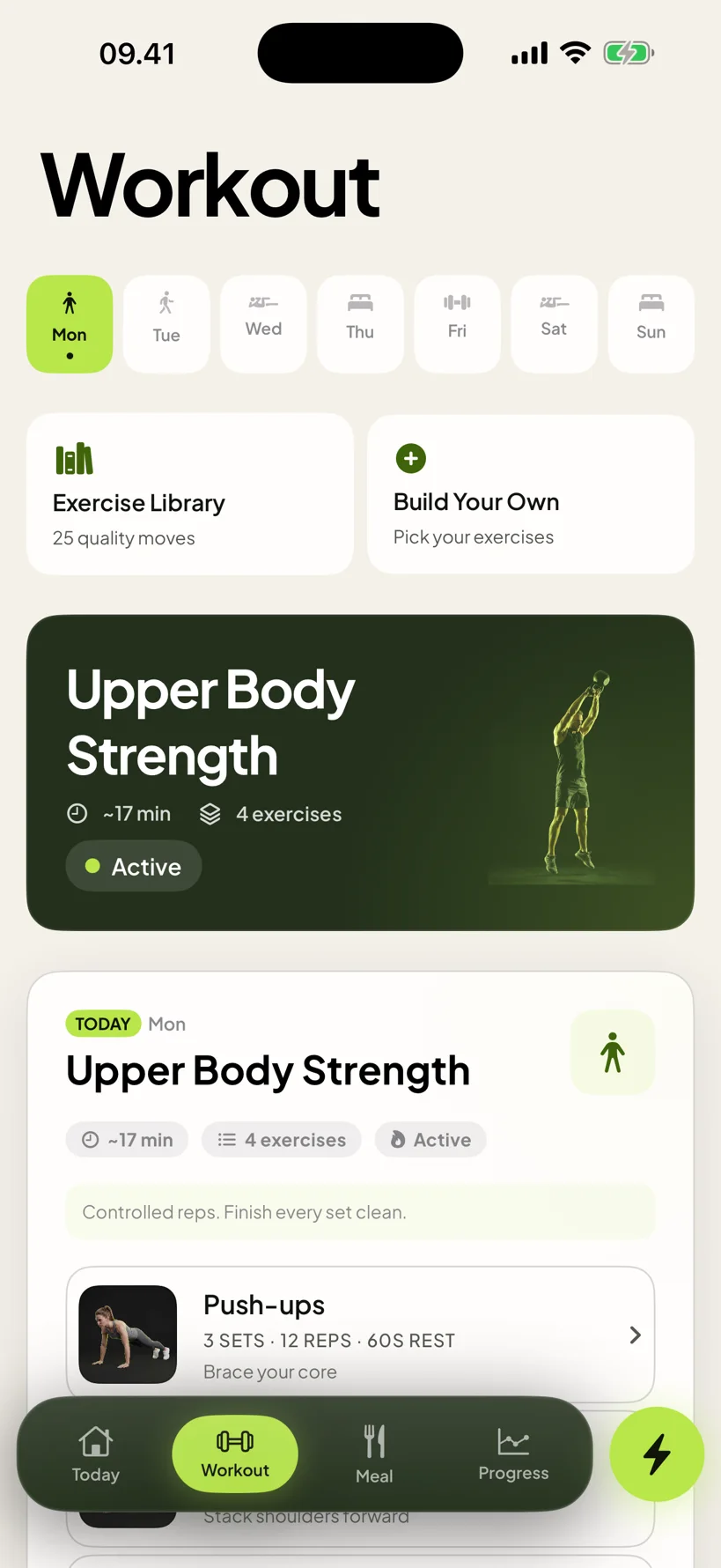
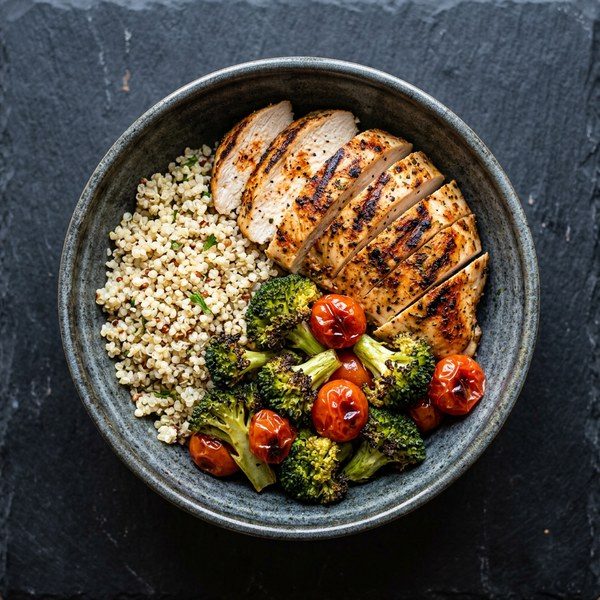
Nutrition
Scan
every meal.
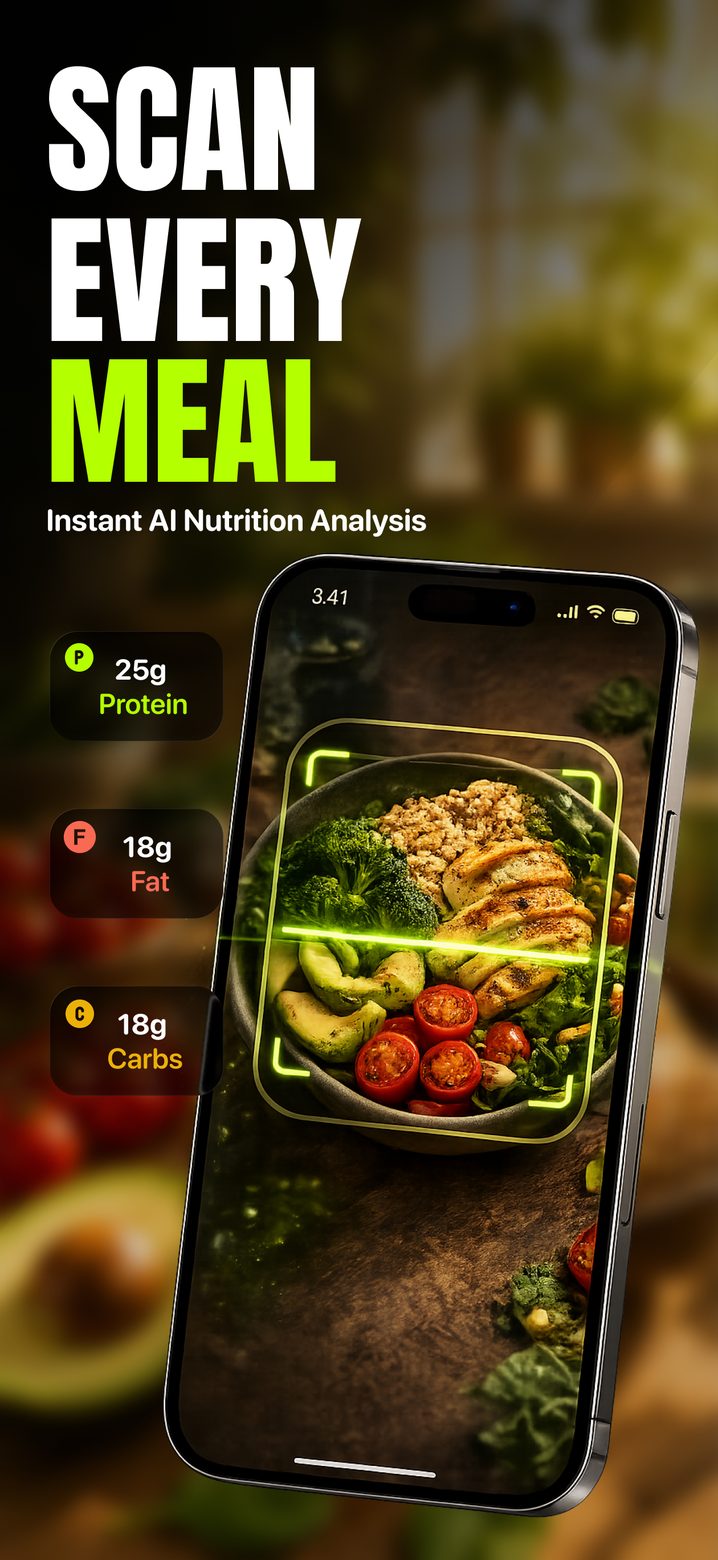
Photograph the plate and calories, protein, carbs and fat come back as an estimate you can edit before it's logged. Water sits on the same screen, and a recent meal is one tap to log again.
- ✓ Calories and macros from a photo
- ✓ Editable before anything is saved
- ✓ Hydration tracked alongside
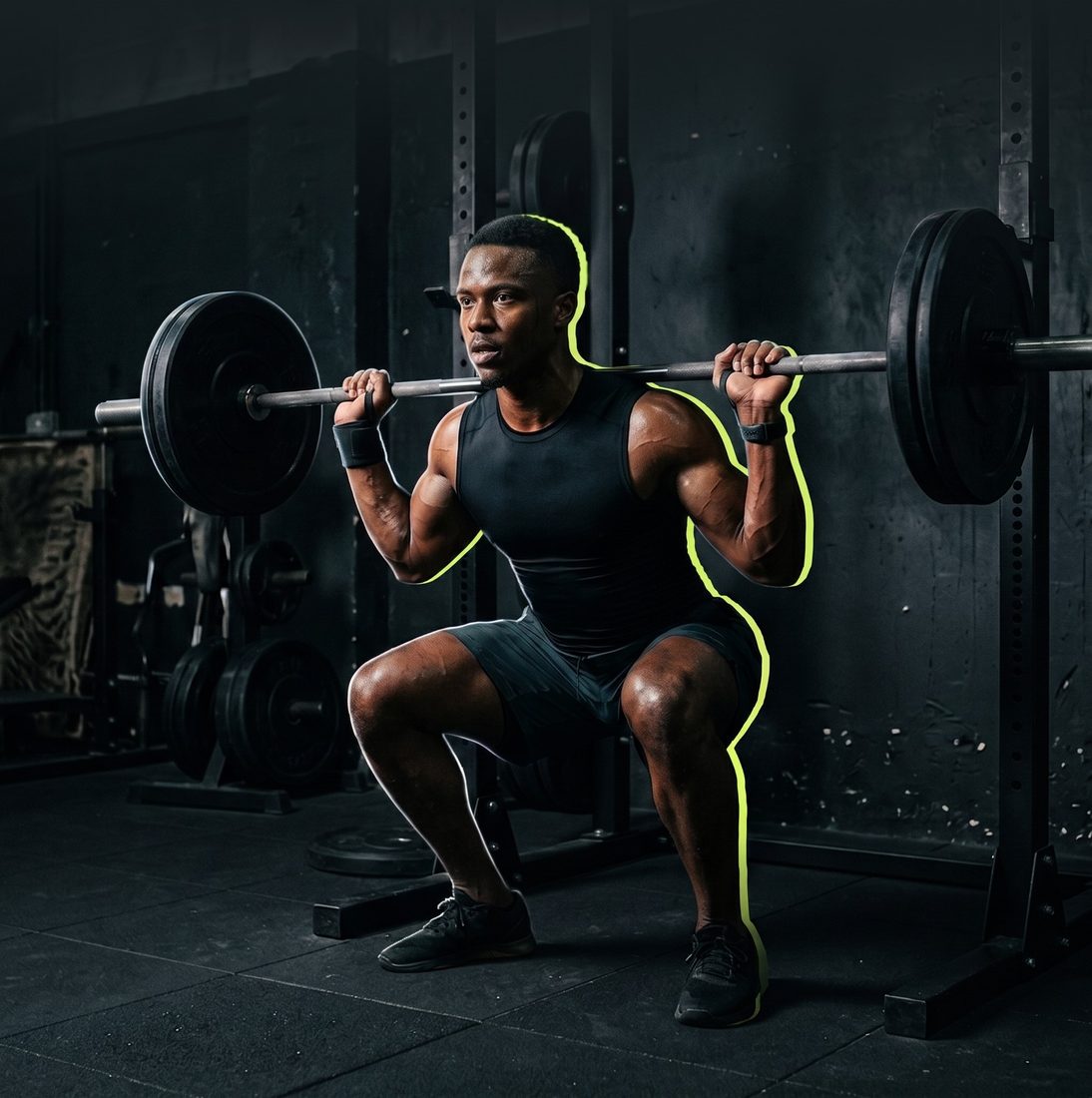
Training
Home workouts,
guided.
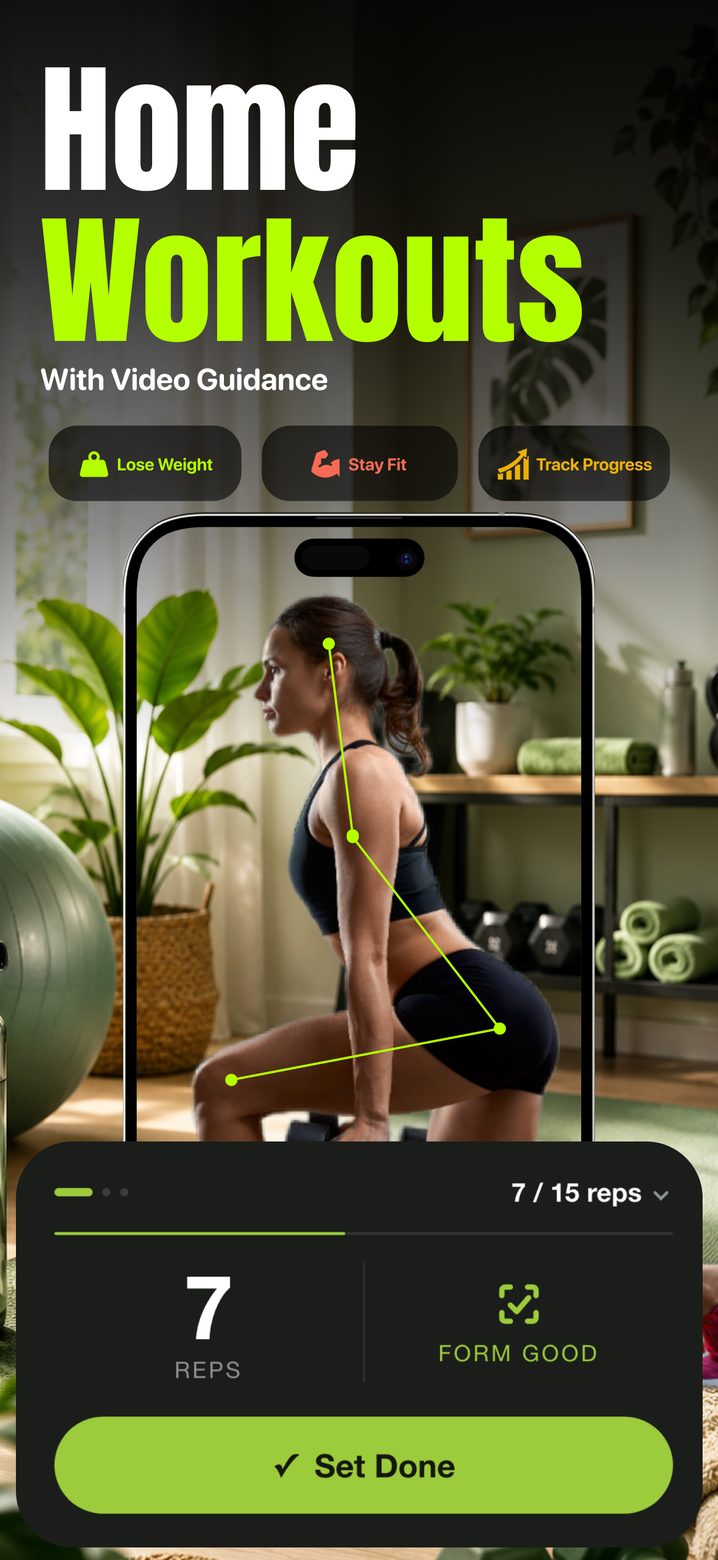
A week built round your goal, with sets, reps and rest. Point the camera at yourself and the form coach tracks the movement and counts the rep. Or search 25 exercises and build your own.
- ✓ Weekly plan, or build it yourself
- ✓ On-screen form guidance and rep counting
- ✓ 25-exercise library
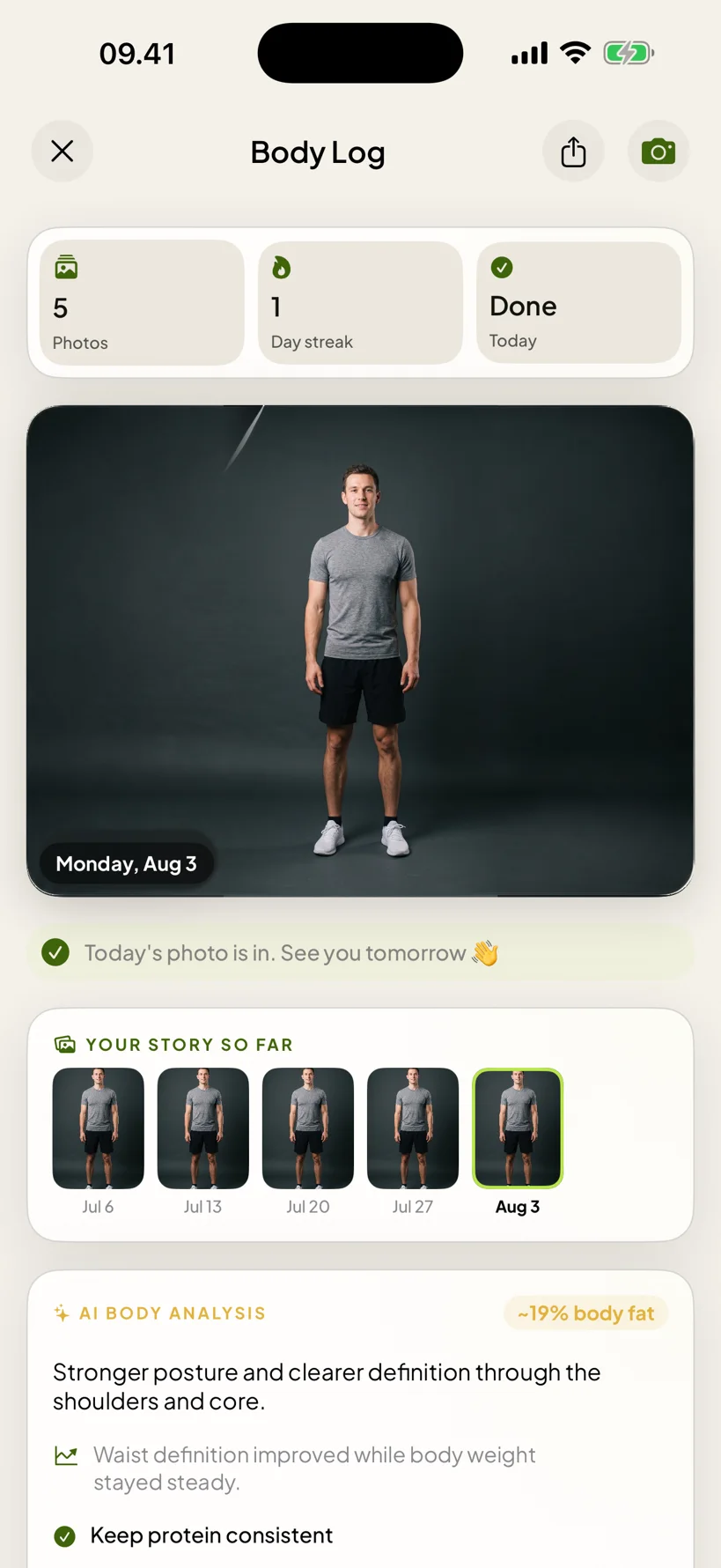
Body log
One photo
a day.
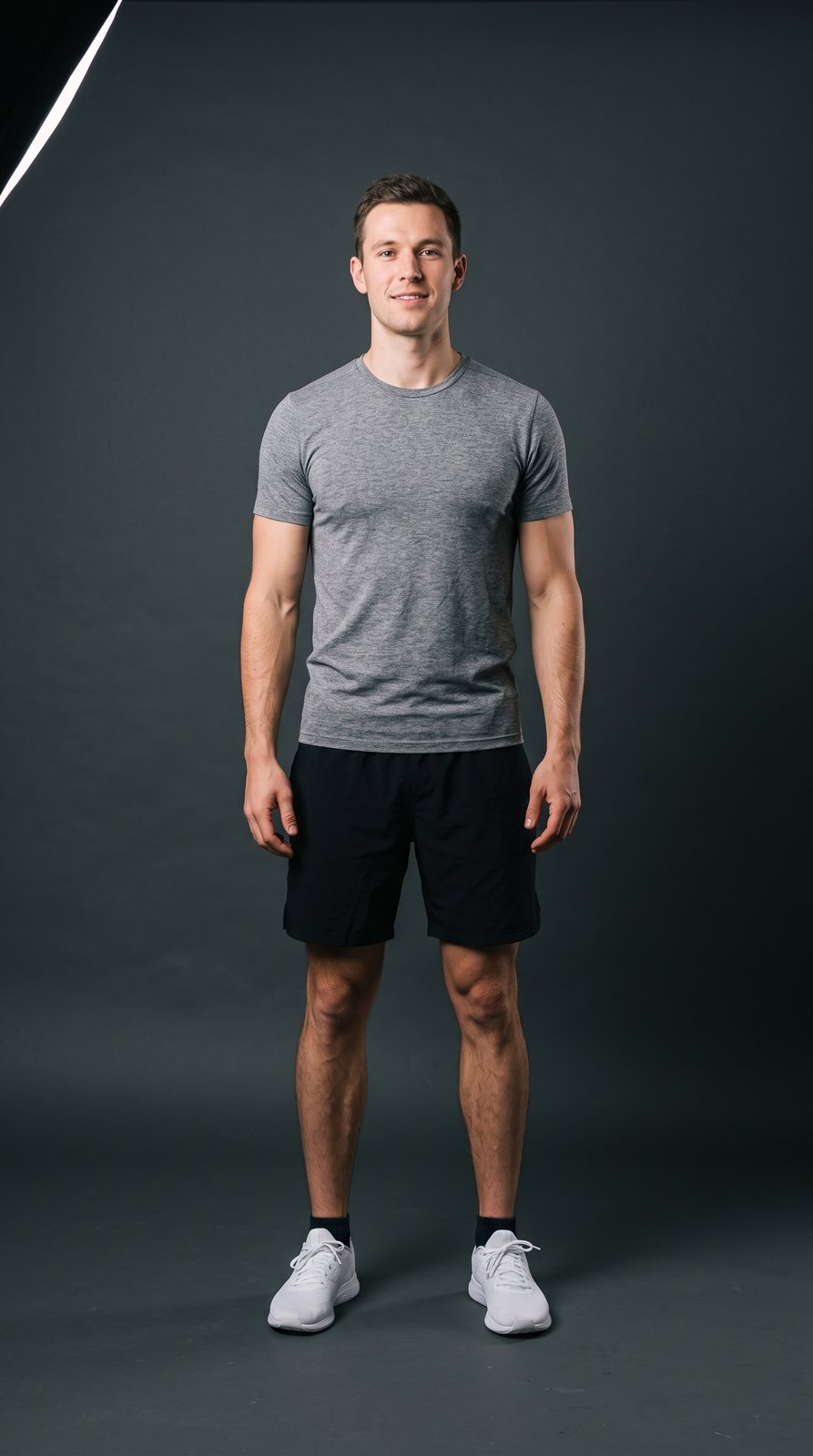
The camera talks you into place — come closer, step to your left — then takes the shot itself. The background is removed so two photos weeks apart line up against each other instead of against your bedroom.
- ✓ Auto-capture, no timer to set
- ✓ Before and after on one slider
- ✓ An AI read of what changed
Coach
Your numbers,
not a script.
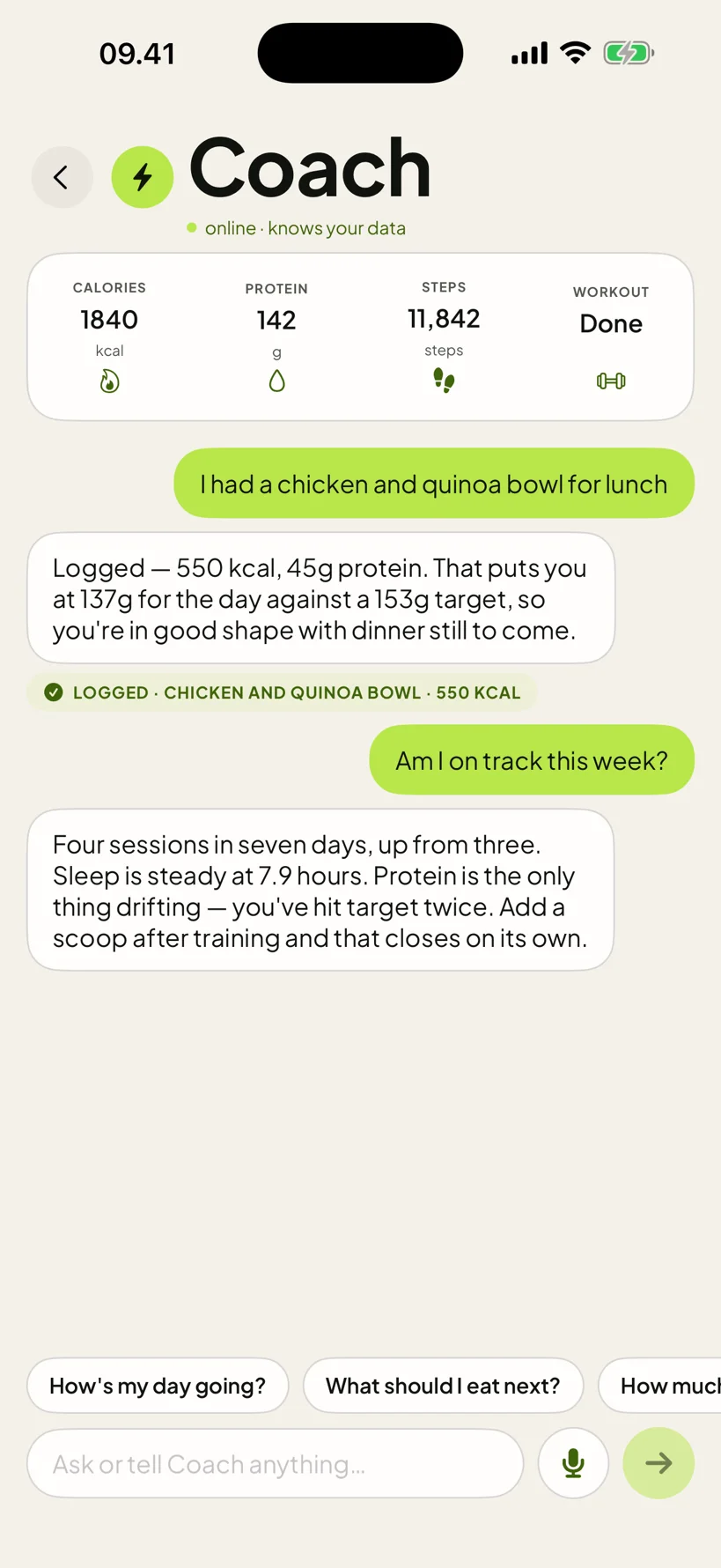
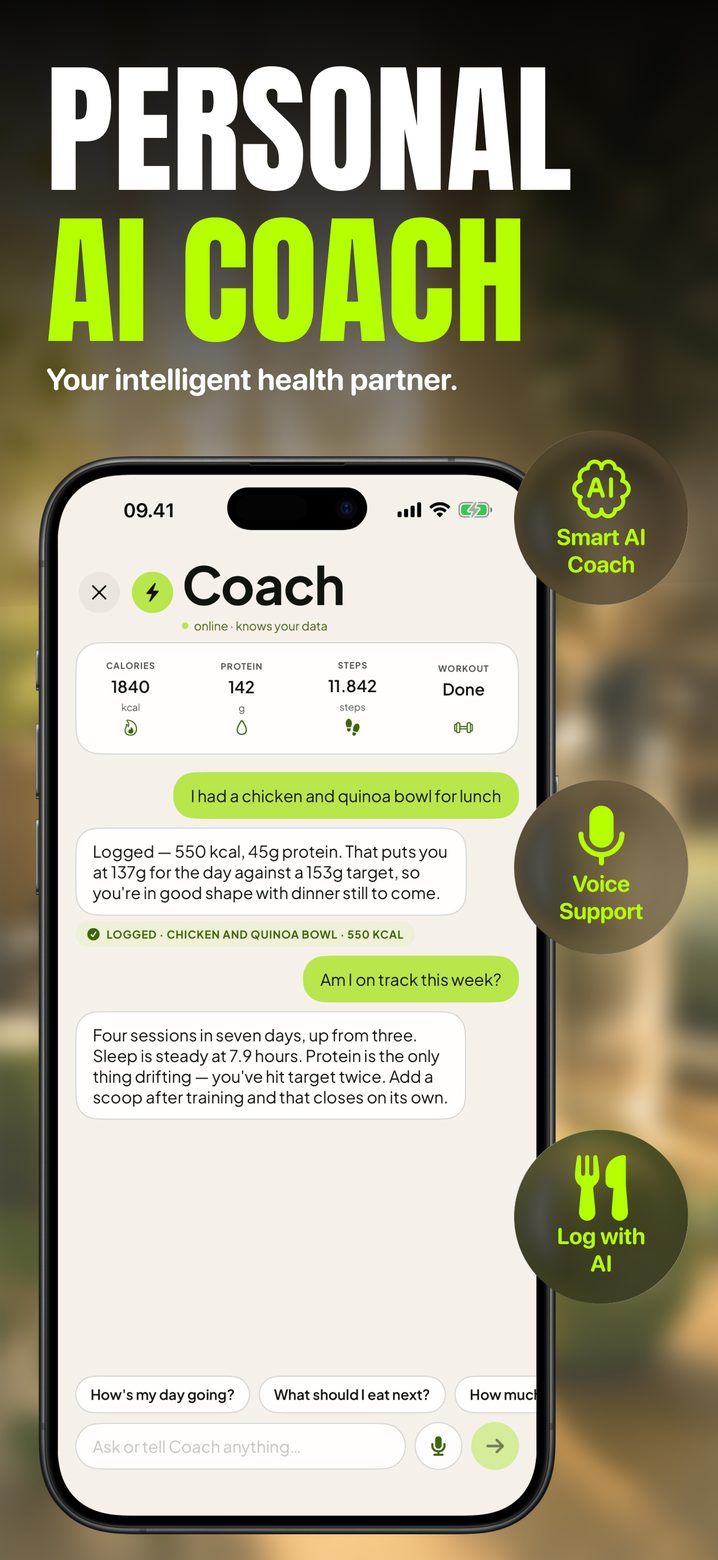
It reads today's calories, macros, water, steps and sleep before it answers. Type a sentence, or hold the button and say it — and it can log the meal for you.
- ✓ Knows what you ate, trained and slept
- ✓ Hold to talk, or type
- ✓ Logs a meal from a sentence

The measured side
The numbers
behind the photo.
Body composition, biological age and a metabolic profile, all derived from what you've already entered — plus a plain-English read of what your own data shows.
Body composition
Body-fat estimate, lean and fat mass, FFMI and a healthy weight range, from your profile and your photos.
Biological age
An estimate from your activity, sleep and composition, with the factors that moved it listed underneath — a starting point, not a verdict.
Patterns worth knowing
"Your weekends are the quiet part." Written from days you actually logged, never from days you didn't.
On the App Store
See it before
you download it.
Before you photograph yourself
The photos are yours.
We can't see them.
Worth answering before you start, not in a policy you'd have to go looking for.
They stay on your phone
Photos and logs live on your iPhone and in your own private iCloud. Not on a server we can read.
There's no account to leak
No name, no email, no password. The app makes an anonymous device identity only to rate-limit AI requests.
Never training data
Body and face photos are processed only by paid providers that do not use customer content to train their models.
Used only for your request
Temporary processing data is used only to provide the feature you asked for. Settings → Delete My Data clears server-side records on demand.
Prices
Free to download.
Pay for the AI.
Download HealthFit and use logging, the exercise library, charts, streaks and milestones for free. The subscription covers the parts that cost money to run.
No account, no card, no expiry.
- ✓ Daily body log and before/after compare
- ✓ Meals, water, weight and workouts logged by hand
- ✓ 25-exercise library and custom sessions
- ✓ Charts, streaks and all 18 milestones
- ✓ Apple Health, in and out
or $39.99 / year
Choose monthly or annual billing in the app.
- ✓ Everything in Free
- ✓ AI read of every body photo
- ✓ Meal scanning from a photo
- ✓ Coach chat and hold-to-talk
- ✓ Weekly plan generation and goal portrait
Subscriptions renew automatically unless cancelled at least 24 hours before the current period ends. Payment is charged to your Apple Account. Manage or cancel in Settings → Apple Account → Subscriptions. Restore purchases from HealthFit Settings or the paywall.
What is HealthFit?
One app for the
whole fitness loop.
HealthFit is an iPhone and iPad fitness app from Healthy Technologies that combines AI-powered fitness coaching, home workouts, workout tracking, meal and nutrition tracking, body-progress tracking, recovery information and supported Apple Health integration. HealthFit offers a free tier with core fitness tracking features and a Premium subscription for additional AI-powered features.
FAQ
Straight answers.
What is HealthFit?
HealthFit is an iPhone and iPad fitness app from Healthy Technologies that combines an AI fitness coach, home workouts, workout tracking, meal and nutrition tracking, body-progress photos and Apple Health integration. It's free to download, with a Premium subscription for the AI-powered features.
Is HealthFit free?
Free to download and free to use for logging meals, calories, water, weight and workouts, the exercise library, charts, streaks and milestones. Premium — $9.99/month or $39.99/year — unlocks the AI features: meal scanning from a photo, coach chat, body-photo analysis and weekly plan generation.
Does HealthFit have home workouts?
Yes. Guided home workouts with sets, reps and rest, a searchable exercise library, custom sessions, and an on-screen form coach that tracks your movement with the camera and counts the reps.
Does HealthFit have an AI fitness coach?
Yes. The coach reads your day's real numbers — calories, macros, water, steps and sleep — before it answers, and it can log a meal from a single sentence. Hold to talk, or type.
Can HealthFit track calories and scan meals?
Yes. Photograph a plate and calories, protein, carbs and fat come back as editable AI estimates (Premium). Manual calorie, macro and water tracking is free, and a recent meal is one tap to log again.
Do I need an account?
No. There's no login screen, email, password or personal profile. The app creates an anonymous device identity only to rate-limit AI requests.
How accurate are the numbers?
Calorie, macro and body-composition results are AI estimates based on your photos and entries, and are labelled as estimates in the app. They're useful as a trend over weeks, not as a measurement — lighting, posture and clothing all move the body-fat figure.
What happens to my body photos?
They're stored on your device and, where applicable, in your own private iCloud database, which HealthFit cannot access. When you request an analysis, that photo is processed only to provide the requested feature. Body and face photos are processed by paid providers that do not use customer content to train their models.
What does it do with Apple Health?
With permission it reads steps, sleep, heart rate, HRV and blood oxygen — including data recorded by an Apple Watch — to calculate your Health Score and insights, and can write completed workouts and estimated active energy back. Health data is used only for app features — never for advertising or marketing, never sold, never shared. The app works without Health access.
Are there ads or tracking?
None. No advertising, no ad SDK, no rewarded video, no App Tracking Transparency prompt, and no tracking across other apps or websites.
How do I delete my data?
Settings → Delete My Data removes the anonymous device identity and server-side records. There's no account profile to delete. Local and iCloud data stays under your control and goes when you delete the app.
Is HealthFit a medical app?
No. HealthFit is a general wellness and fitness app. Calorie, macro and body-composition figures are AI estimates, not medical measurements, and the app doesn't diagnose, treat or monitor medical conditions.
Which permissions does it ask for?
Camera for body and meal photos, Photo Library to pick an existing photo, Microphone and Speech Recognition for Coach voice input while the button is held, Motion to estimate sleep when Apple Watch data isn't available, and Apple Health. Each is asked for when it's needed, and declining one only affects that feature.
What it isn't
A wellness app.
Not a doctor.
- It doesn't diagnose, treat or monitor medical conditions, and it doesn't replace medical advice.
- Calorie, macro and body-composition results are AI estimates based on your photos and data, and are labelled as estimates.
- The goal portrait is a motivational illustration, not a prediction.
- Train sensibly. Speak to a professional first if you're pregnant, injured, under medical care, or have a history of disordered eating.
Take the first
photo tonight.
Free on the App Store. No account, nothing to cancel if you stop.
Download on theApp Store- ✓ No account, no email
- ✓ Cancel any time in Settings